Shadow AI System of Record
Know the AI assets living on your endpoints.
See what was added, removed, changed, or started running. Local models, desktop AI apps, IDE assistants, agent CLIs, MCP servers and AI SDKs appear without a ticket. KeepRails builds the bounded inventory and change history that network-side tools cannot see.
I'm a developer
Scan this machine, free
No account, no agent, nothing uploaded. You keep the inventory, report, evidence JSON and AI-BOM locally.
curl -fsSL https://staging.keeprails.dev/install.sh | sh I run Security or IT
See the fleet change
Continuous fleet inventory with alerts when endpoint AI is added, removed, changed, or observed running.
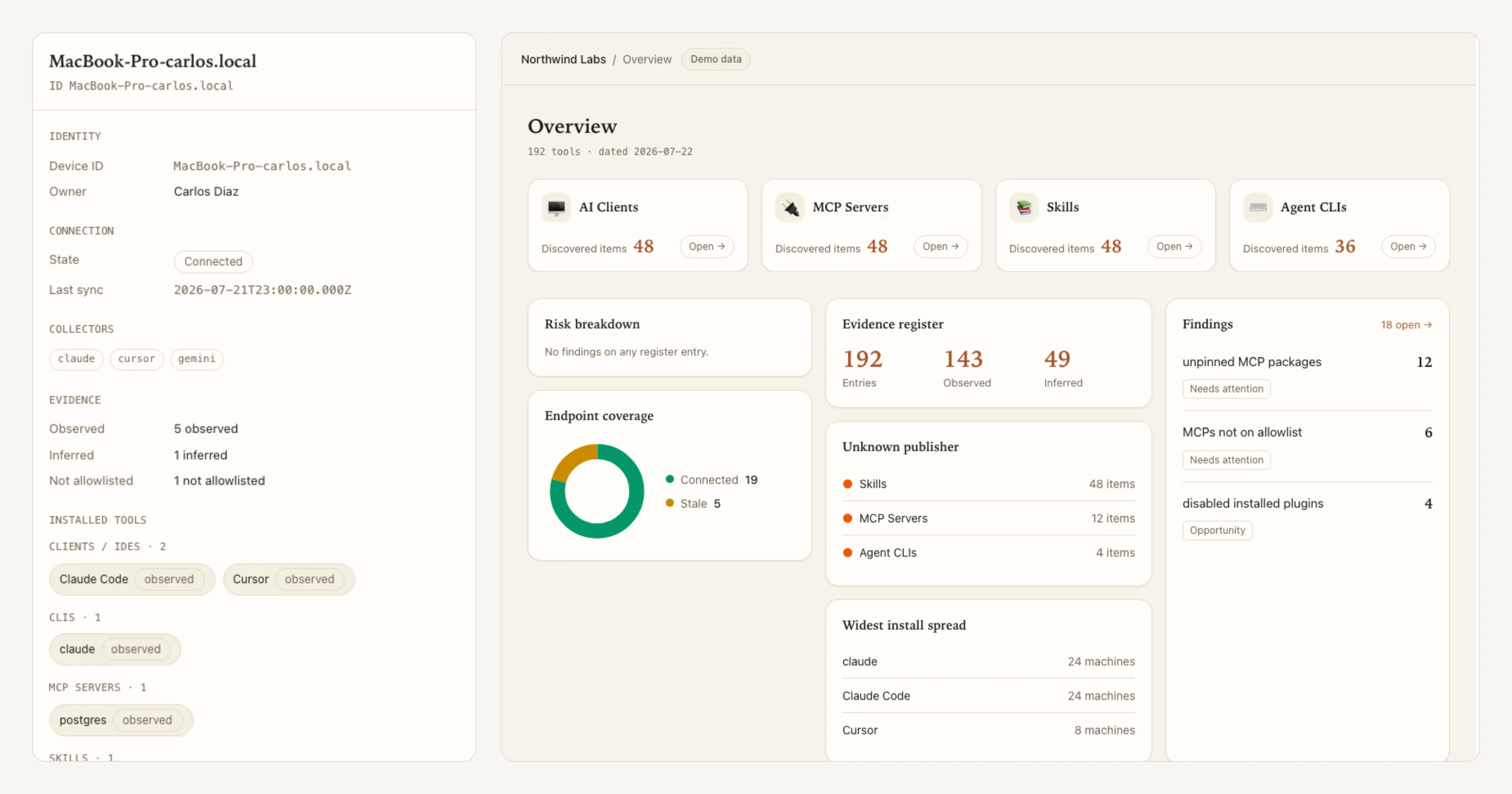
On the device
Local scan, local inventory. Nothing is sent.
In the organization
Sanitized identity metadata, previewed before it syncs.
What gets discovered
The endpoint layer network tools do not see
Endpoint-resident AI is self-provisioned, changes quickly, and often produces no network signal while installed or configured. KeepRails reads the bounded local sources that declare it.
MCP servers
config-declared
Agent CLIs
on PATH
IDE AI
extensions
Local models
weights on disk
Desktop AI apps
installed bundles
Browser extensions
identity only
AI SDK deps
manifest-resolved
Skills & plugins
agent-scoped
Fleet system of record
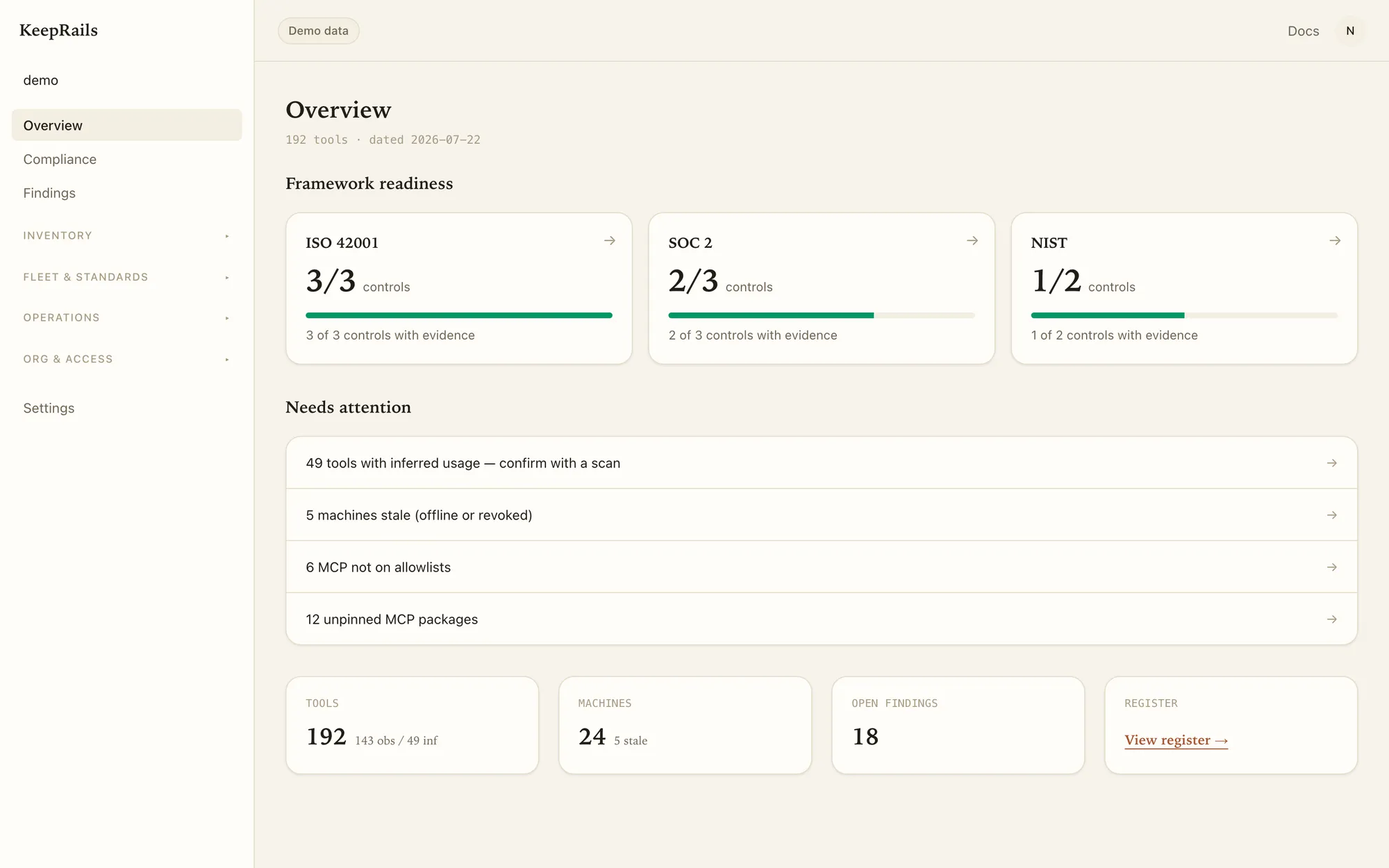
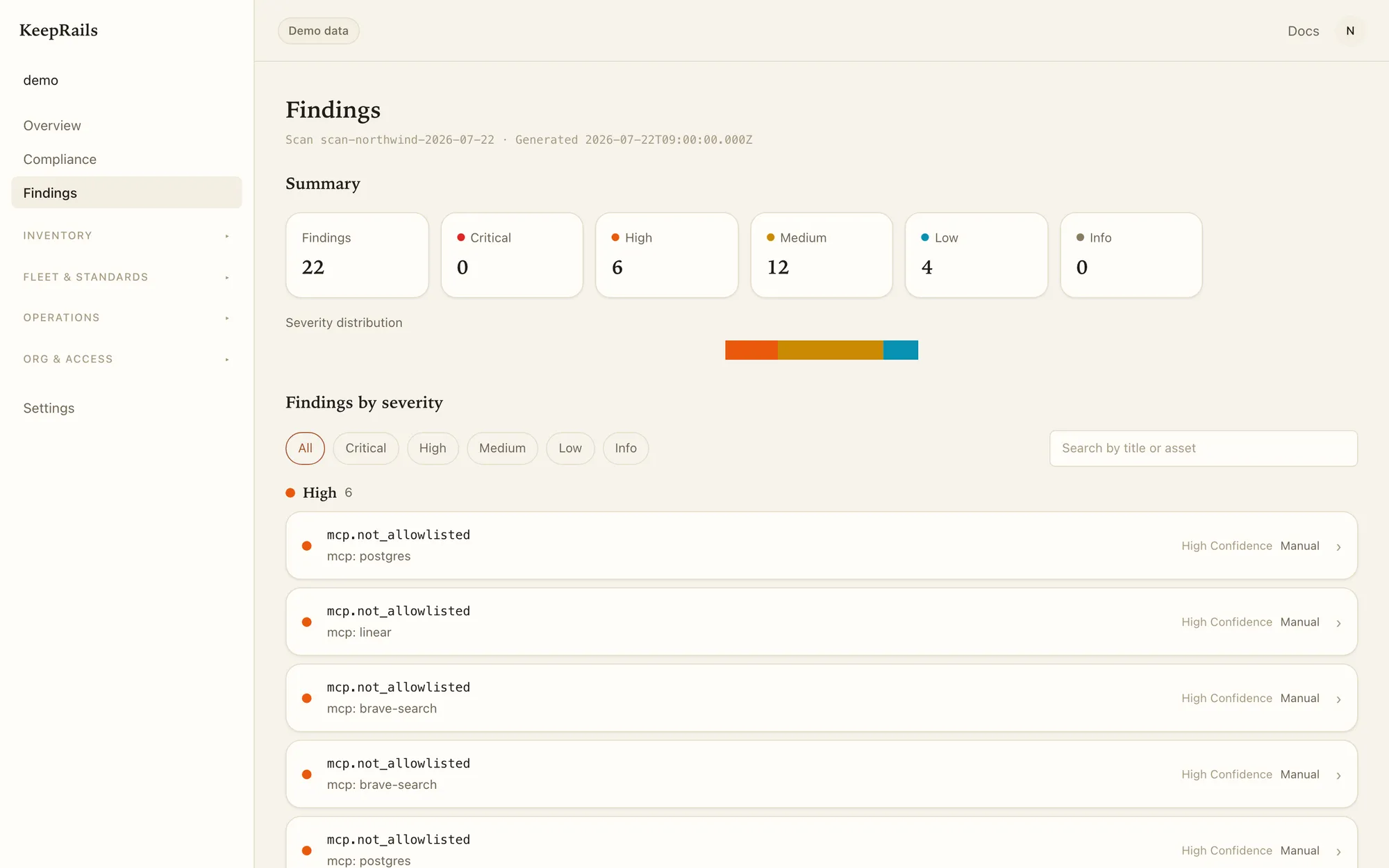
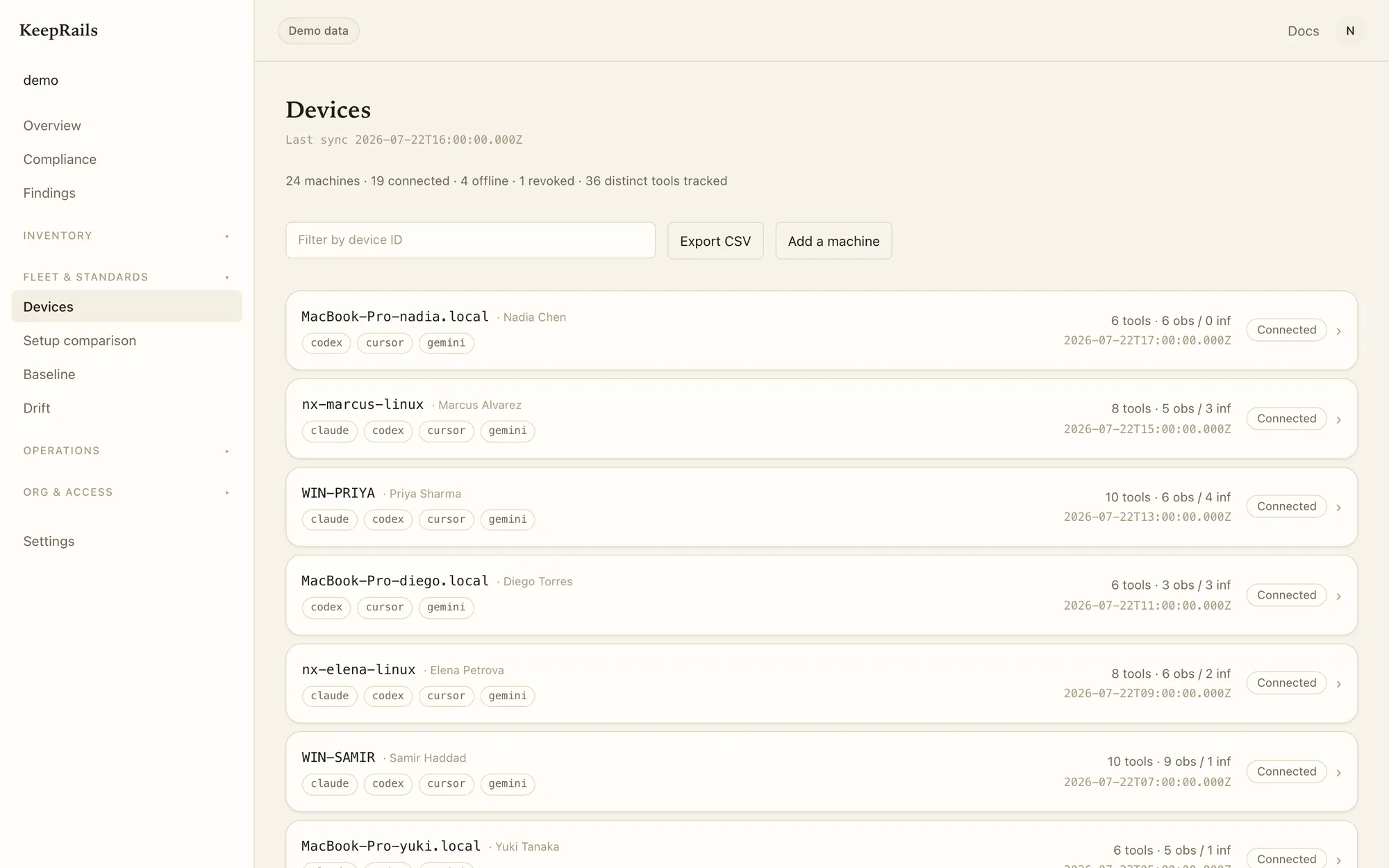
Inventory that remembers what changed
Optional compliance evidence
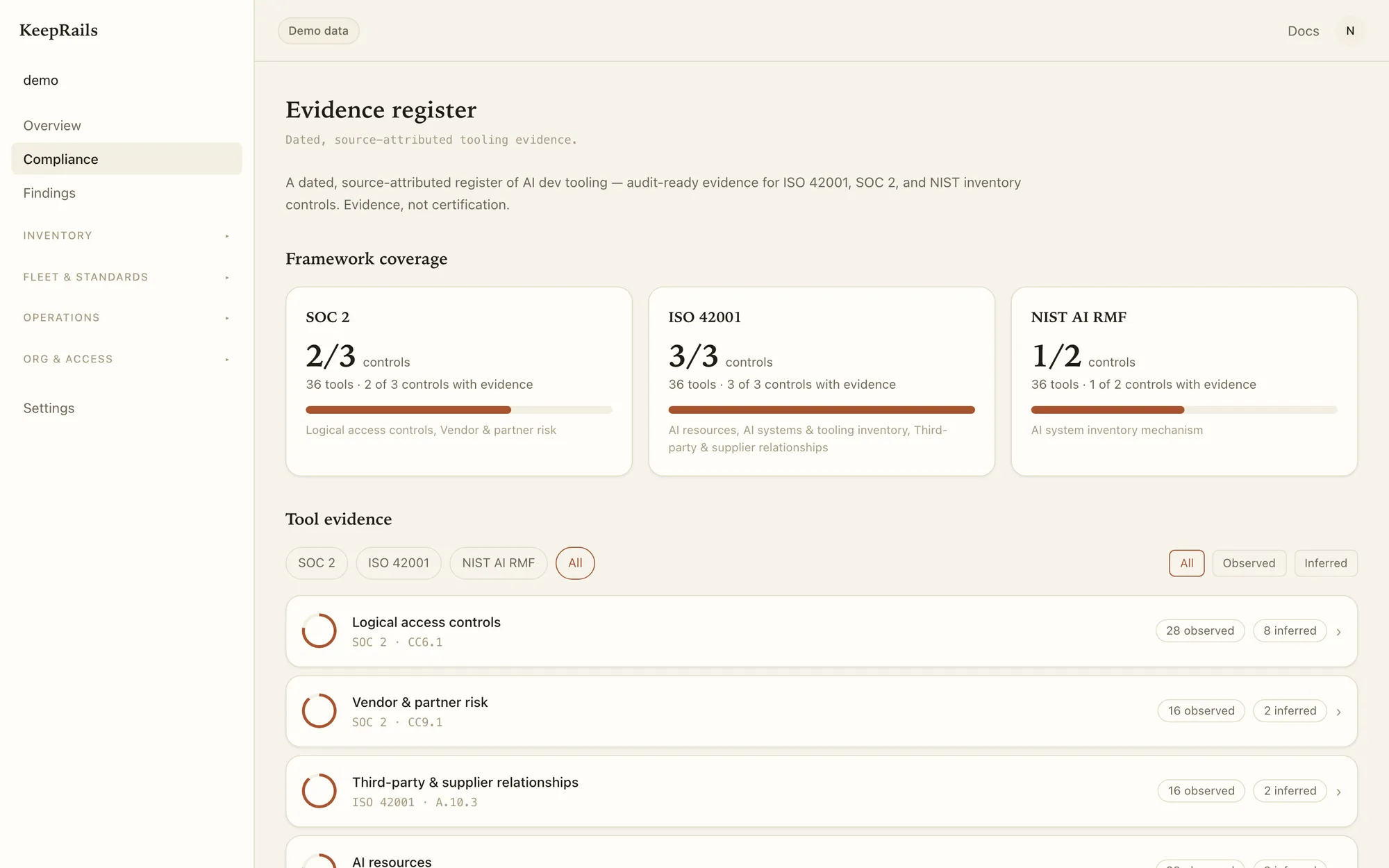
Project the same inventory into a framework view.
What it asks
Document AI resources, tooling, versions, and third-party suppliers inside the management-system scope.
Honest boundary
One inventory input. An independent assessor evaluates the wider management system.
rubricVersion=3 · kbSnapshotVersion=2026-07-27.2 · mapping=cm-6
What it asks
Maintain asset and vendor inventories under the existing CC6.1 and CC9 criteria.
Honest boundary
One evidence source. Access, ownership, review and ongoing operation remain organizational duties.
rubricVersion=3 · kbSnapshotVersion=2026-07-27.2 · mapping=cm-6
What it asks
Operate an AI-system inventory mechanism under GOVERN 1.6 and record context under MAP 1.1.
Honest boundary
Inventory evidence only. Risk measurement and treatment stay outside this surface.
rubricVersion=3 · kbSnapshotVersion=2026-07-27.2 · mapping=cm-6
What it asks
Scope Article 4 AI-literacy work around the AI tools staff actually use.
Honest boundary
A governance input, not a deadline or penalty claim. Heavier deployer duties depend on the use case.
rubricVersion=3 · kbSnapshotVersion=2026-07-27.2 · mapping=cm-6
What it asks
Answer inventory and usage-review questions with a current, supportable artifact.
Honest boundary
Does not change policy exclusions or replace written AI-use policy and staff education records.
rubricVersion=3 · kbSnapshotVersion=2026-07-27.2 · mapping=cm-6
Data-local boundary
The boundary is part of the product
Normal TEAM sync
Sanitized tool identity: IDs, versions, capability names, framework tags, KB-derived labels, consented member identity.
Consented exception
An admin may promote a redacted standard command, arguments and URL to your own plane. Environment values and secrets are removed.
Never uploaded
Prompts and responses, source code and diffs, tool inputs and outputs. Configuration content stays local.
SOLO uploads nothing. TEAM sync is a separate, previewed, consented action.
SOLO to TEAM
Start locally. Keep it current across the fleet.
1 · working now
SOLO
Run the anonymous scan and keep the inventory, report, evidence JSON and AI-BOM on the device.
2 · consented
TEAM
Maintain continuous fleet inventory with added, removed, changed and running-state alerts.
3 · optional projection
Evidence exports
Project the same inventory into evidence JSON, CycloneDX AI-BOM and framework-oriented reports.
Frequently asked questions
What does the free scan send?
Nothing. The anonymous scan runs locally and uploads no inventory. Connecting a machine to TEAM is a separate, previewed, consented step.
Do prompts, code, or configuration content leave the device?
Prompts, responses, source code, diffs, and tool inputs and outputs never leave. SOLO uploads nothing, and normal TEAM evidence sync excludes configuration content. The explicit exception is a consented TEAM promote-to-standard action, which uploads a redacted standard command, arguments, and URL to the organization’s own plane; environment values and secrets are never uploaded.
What counts as endpoint-resident Shadow AI?
Local model weights, desktop AI apps, IDE AI, agent CLIs, MCP servers, browser AI extension identity, AI SDK dependencies, provider-key presence, and the permissions or autonomy configured around them. Each scan declares what it did and did not inspect.
What changes between SOLO and TEAM?
SOLO is the free, no-signup scan and local inventory package for one device. TEAM adds continuous fleet snapshots, change alerts, ownership, and organization decisions.
Does KeepRails track AI websites or prompts?
No. AI SaaS usage, visited sites, prompt content, and network activity are permanently out of scope. KeepRails inventories AI that resides on, is configured on, or is developed from an endpoint.
Can the inventory support compliance work?
Yes. Compliance evidence is an optional projection of the same source-attributed inventory. Today, run keeprails report --evidence and upload the sanitized package; native GRC push remains in pilot.
Start free
Produce the first inventory without an account
One machine, about two minutes, nothing uploaded.
curl -fsSL https://staging.keeprails.dev/install.sh | sh Bring it to the fleet
See your fleet inventory change over time
Twenty minutes. We show the inventory, change history, alerts, and data boundary on your own endpoints.
Book a demo